

Thomann🇬🇧NEW
Tutorial Experts Behringer Flow 8 - Training
Shipping not confirmed. Check with the seller.
30-day · item onlyflat
VISAMCPayPal
$42.23*item only✓ Checked 6h ago
- 3-year warranty
- 30-day returns

Charts show item-price changes · shipping excluded
* Converted from GBP at the European Central Bank reference rate, 16 Nov 2026. Indicative only; the retailer charges in its own currency.
Shopping on a computer later? Spialo's free extension compares prices right on the store's page. Email me the link
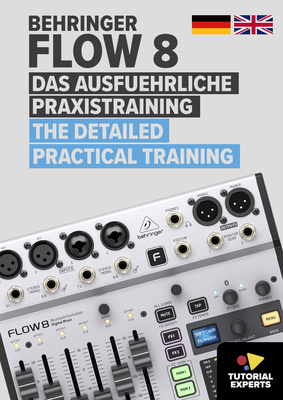
Tutorial Experts Behringer Flow 8 - Training, Video Tutorial (Download), English and German language video tutorial for the Behringer Flow 8, For PC, Mac, and tablet, By and featuring product specialist Wolfgang Benke, Approx. 6 hours total running time with tips and tricks for all areas of application, Optimal workflows and creative suggestions, Background information and technical terms explained clearly, Suitable for beginners and advanced users, System requirements: Win7 or later / Mac OSX 10.6 or later, 1.6 GHz CPU, 0.5 GB RAM, 1920 x 1080 monitor, sound card@+*Contents:*, Basics and connections, Clarification of important technical terms, Checking and updating the firmware, Remote control via iOS or Android app, The channel strips in detail, Practical use of equaliser, compressor and limiter, Monitoring via the integrated bus channels and headphone output, Use of the integrated effects and effect paths, Adjusting the tempo of the time-based effects Delay, Echo to the music, Save, manage and recall mixer settings with snapshots, Using a footswitch to switch snapshots and tempo input, Connecting an external player via Bluetooth audio, Use as USB audio interface on computer, tablet or smartphone, Recording practice with single and multi-track recordings, Recording the integrated effects on separate tracks, Practical use as an audio interface for streaming applications such as video conferencing, web calls, YouTube, etc., Control of mixer functions via MIDI for studio and live use, Recommendations for useful hardware extensions such as in-ear monitoring and further connection options


